
The need for 3D modeling and product visualization is increasing as a result of the rise in popularity of online shopping. The internet has made it possible for consumers to get almost anything they want, and there’s no better way to showcase these products than to use 3D visualization technology. Sales are boosted by the production and display of realistic 3D models and photographs of items. For those of you who are interested in product design rendering but still have some questions, we're here to answer all of them.
What Is 3D Product Rendering?
Product rendering is a term that describes an automated generation of highly realistic images in 3D view. It requires talented artists and high-quality visualization software to achieve such hyperrealist results. You can basically create a 3D model of any existing or conceptual product and have it resemble a real thing. Photorealistic renderings have completely overtaken 2D and traditional photography when it comes to designing and marketing products. Because the software artists use to create 3D product visualizations is so versatile, you can input a wide variety of parameters to create even the most complex of concepts. Rendering and visualization capabilities are built-in to some software products, such as SolidWorks. You don't need to export data to utilize their rendering engine - you can just run your model through it and see quick results. You can make preview renders in any software, but you need specific software and render engines, like Corona, V-Ray, Octane, to calculate the physics of the materials and light to make the render look realistic. Also, the quality may depend on computational power as it takes a lot of time to denoise the render. So, 3D product rendering is a process of creating photorealistic (or non-realistic) images using three-dimensional models and highly-specialized software.
Where Are 3D Rendered Product Images Used?
These types of high-quality photorealistic images are used everywhere. Because they’re so convenient and offer amazing benefits, which we’ll get into a bit later, they have become an irreplaceable tool in many different industries. Here are some most common use cases of 3D product visualization:
Presentations
3D product design can be used for presentations of all kinds to showcase ideas or products that are about to go in production. You can use realistic rendering images for different kinds of presentations - architectural, technical, marketing, etc. Moreover, it’s much more effective and realistic compared to drawings or traditional photography.
Product catalogs
Instead of having to take an insane number of product photos for catalogs, you can use renderings to achieve an even better level of quality for a fraction of the time, manpower, and cost. You can showcase your products in different angles and environments, and it will look just as good as in real life.

e-Commerce websites
When it comes to e-Commerce websites, the biggest advantage of using realistic rendering images for e-Commerce is speed, reliability, and price. Most e-Commerce websites have thousands of products, each of which needs to be displayed as accurately as possible. Photographing that many products takes a lot of time and effort. With 3D renderings, you can easily model different products and showcase them in a 360 degree view so that customers can experience it even better.
Designers
Designers of various types use renderings to showcase different project ideas or concepts to potential investors. This is particularly efficient because it speeds up the approval process between clients and designers, since 3D visualization technology lets them collaborate on designs in real time and prevent any potential production errors when project execution starts.
Marketers
Marketers also use 3D product images and renderings for different purposes. For example, they can use these models for online ad campaigns. Or, they can create product catalogues with stunning 3D marketing images which will sell out the product in a matter of days. Today, most product images you see in ad campaigns are, in fact, 3D visualizations.
Manufacturers
Manufacturers also use 3D rendered product images during different stages of the production process. First, they use this technology to figure out the concept of a product and see how it will look like post-production. Then, they can also use 3D renders for teaser, where they’ll lack an image or two of the product that is yet to be made to spark the public’s interest and score some presales. Lastly, they can use this technology post-production to advertise their products to investors and their audience.

3D Product Rendering Types
Because the scope of applications for 3D visualization technology is seemingly endless, it’s no wonder that there are many different types to choose from. These are the most common 3D product rendering types.
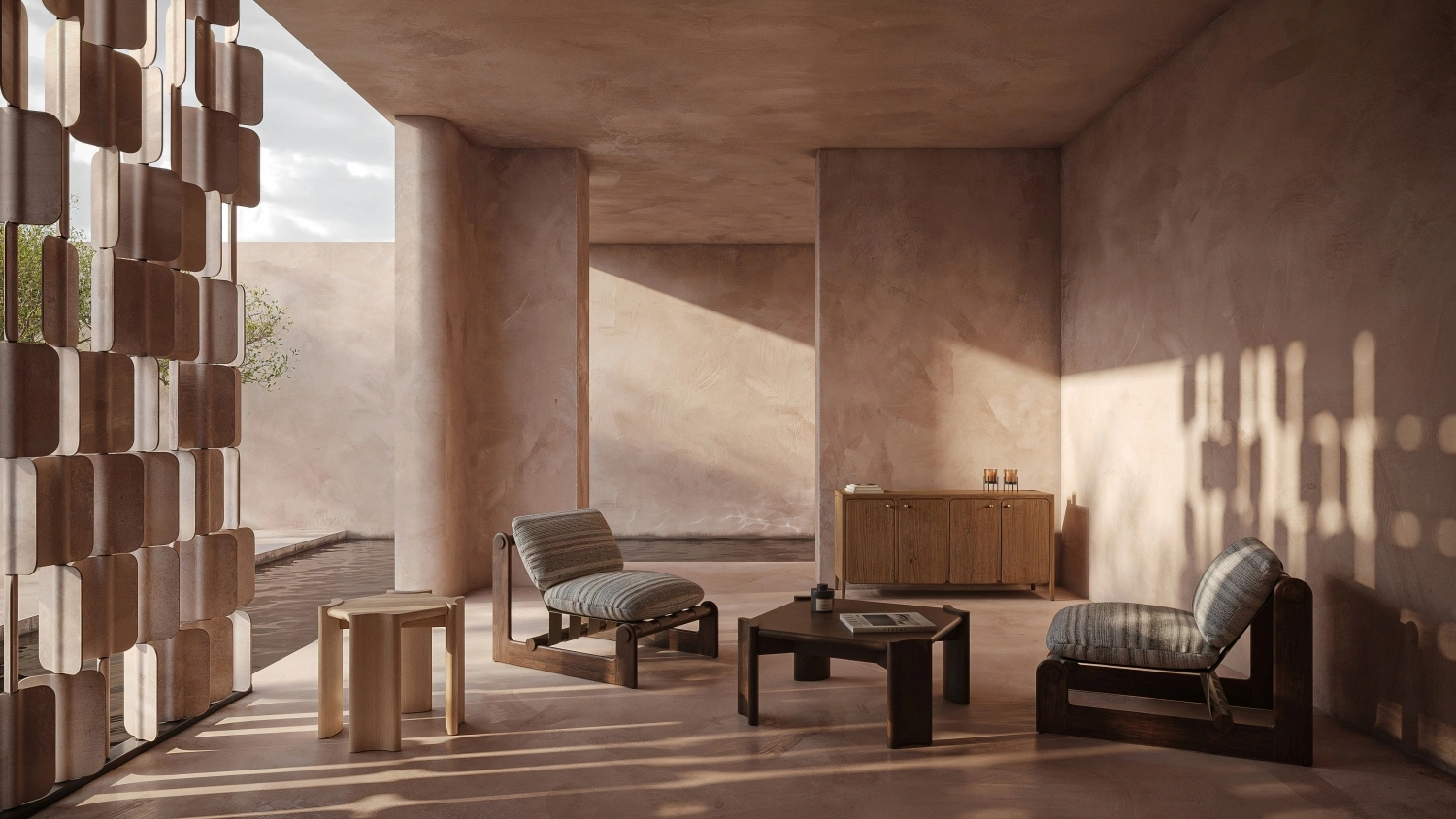
Lifestyle Images
Lifestyle images include putting the models in real-life environments. So, for example, 3D furniture renders will be placed inside rooms, or 3D decor models will be placed on shelves and cupboards to showcase it in different environments.
3D configurator
3D configurations let users make changes on the product in real time. So, for example, if you’re shopping for clothes, you’ll be able to put a dress on different models or test different colors and materials.
360 images
360 images let you see the product from every single angle. You will be able to rotate it in different positions to see every inch and every detail. 360 images are also great for architectural designs.
Detailed Renders
Detailed renders are basically photorealistic 3D renderings that showcase the product in maximum detail. These images can be zoomed in and out, and every single texture and material can be seen up-close.
Teaser Renders
Teaser renders are used to tease a product that is still in production or that is yet to be released. This is a great way to spark some interest, but also score a lot of pre-sales.
3D animation
Lastly, we have 3D animations that are used for commercials, movies, or explainer videos. You can use 3D animations to visually showcase how your product works or how the customers should use it.
How Do You Make a 3D Product Image?
Creating a photorealistic 3D product image follows a structured production pipeline that ensures accuracy, brand consistency, and visual realism. While creative decisions vary by project, most CGI studios use a similar seven-step workflow. Below is an expanded, industry-standard method that clearly outlines each phase.
1. Product Data Collection
The process begins with gathering all available product information:
- reference photos
- CAD or STEP files
- exact dimensions
- material samples or swatches
- brand and packaging guidelines
This ensures the 3D model reflects the real product precisely.
2. 3D Modeling Phase
Artists recreate the product in 3D using the collected data.
Key tasks include:
- sculpting geometric forms
- adding micro-details
- matching proportions
- modeling functional or mechanical parts if needed
3. Material Creation & Texturing
Surface properties are built using physically based rendering (PBR) techniques.
This includes:
- roughness
- gloss levels
- metallic behavior
- transparency / translucency
- subsurface scattering
- labels, decals, engravings
Materials are one of the primary drivers of realism.
4. Lighting Setup
Lighting defines mood, clarity, and visual quality.
Studios typically use:
- studio softbox lighting
- daylight HDRIs
- colored accent lights
- cinematic key-fill-rim setups
Different lighting setups can drastically change the product’s appearance.
5. Camera Composition
Carefully selected angles highlight the product’s best features:
- hero front view
- detail macro shots
- side and back views
- packaging + product group compositions
This step aligns with marketing goals and platform requirements.
6. Rendering
The scene is rendered at high resolution using physics-based calculations that simulate light behavior.
The complexity of materials and lighting determines render time.
7. Post-Production
Final adjustments include:
- color grading
- contrast tuning
- cleaning artifacts
- enhancing reflections and highlights
- adding subtle depth
This stage ensures the final image feels polished and market-ready.
Benefits of 3D Rendered Product Images Over Product Photography
- It’s less time-consuming
- It’s more cost-effective
- It’s more customizable
- It has a wider scope of applications
- It showcases your product in more detail
- You can add different textures and features
- You can make changes in real-time
- It’s less of a logistical hassle compared to organizing traditional photoshoots
- It makes it easier to collaborate on a design
- You can detect errors and miscalculations before going into production.

How to Choose a 3D Rendering Provider
There are so many 3D product rendering companies, so choosing the right one can be difficult. And, the quality of your final 3D rendered product images solely depends on how experienced and talented your designer or agency of choice is. So, here are some quick tips on how to outsource a reliable 3D rendering provider.
Check their portfolio
The most obvious way to see whether you’ll like someone’s work or not is to check their 3D product visualization portfolio. The portfolio should include their most impressive work, but also results that are similar to what you need. Send an email requesting additional work examples if you aren’t satisfied with the versatility of their current portfolio.
Schedule a consultation call
Scheduling a consultation call is a must because it will give you a bit more insight into the designers’ process and see how well they work with clients. If they ask a lot of questions about what you need and want, that’s a good sign. A good designer will always listen first so that they understand the concept and have enough information to know whether they’d be a good fit. On the other hand, if they only talk about themselves and don’t let you squeeze in a full sentence, stay away from them.

Ask for a referral
If you already have a friend, colleague, or a family member who has recently employed the services of 3D designers, ask for a referral. Or, have them show you the work that that particular designer had done for them. This is one of the most reliable ways of finding a suitable agency.
Check their website
Websites can be another indicator of how good the 3D visualization agency is. If their website is outdated or they don’t show any recent examples of their work, that’s a red flag. On the other hand, if they frequently update their website, keep up with maintenance and design, and update their online portfolio, check them out.
Check online reviews
Lastly, check online reviews on different review websites to see what others have to say about them. This can tell you how the company treats its clients, how fast the process was, how much it cost, and a lot of other peculiarities that will be an important factor in your decision-making process.
Get High-Quality 3D Product Renderings - PIXREADY
If you’re looking for professional service by 3D product visualization company, contact PIXREADY. Our team of leading designers with decades of combined experience of working in this industry is eager to take on interesting projects and make our clients’ dreams a reality. We can create different types of models ranging from lifestyle images to animations quickly and efficiently. Schedule a free consultation call or send us an email to discuss your project and show you why hundreds of clients choose us over our competitors.
Get 3d expert on your side
More than a 3D rendering vendor, PIXREADY acts as a strategic CGI partner helping brands
сreate scalable visual content for marketing, sales, and product launches. Let's explore your
project and discuss how CGI can support your business goals!
.png)
Founded by a group of technology, architecture, and design professionals in 2018, PIXREADY is one of the challengers empowering the 3D visualization industry and making its products and services more affordable.We are determined to assist businesses around the world to create photorealistic images of their products and ideas and enrich the experience of their clients. We focus on the details, with the highest precision in every pixel.